 EN
 AR
 RU
 ZH
 FR
 ES

November 24, 2026 • By KWD
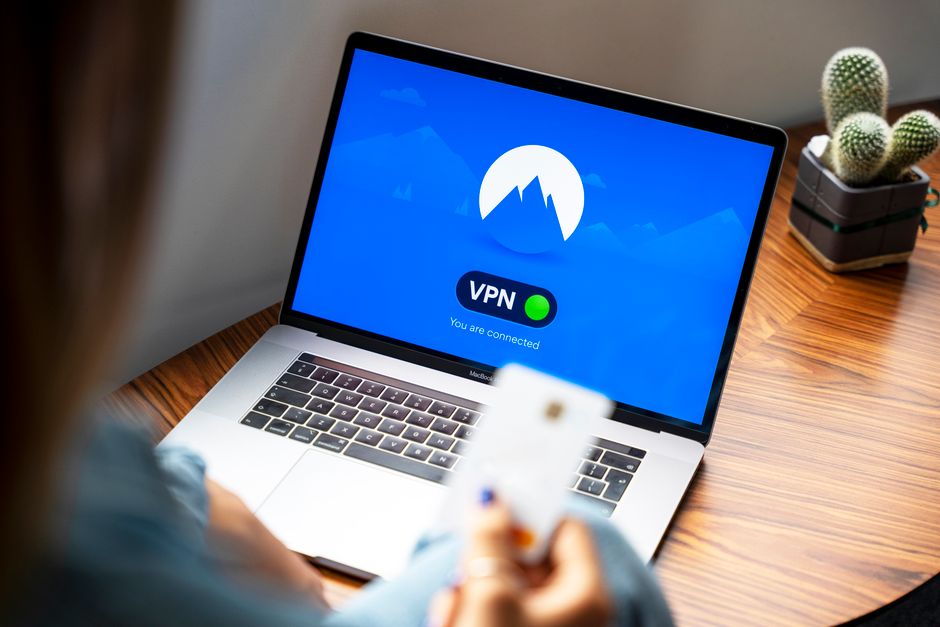
A business cybersecurity preparedness guide outlines practical steps for organizations to protect critical assets, minimize risks, and respond effectively to cyber incidents, emphasizing ongoing improvement, clear responsibilities, and integration of technical and human processes.
Key Takeaways
- Cybersecurity preparedness is an ongoing discipline, not a one-time purchase or compliance task.
- Identify and classify critical business assets before selecting security tools or controls.
- Layered security controls, such as multi-factor authentication and regular updates, reduce common vulnerabilities.
- Employee training and clear reporting processes are essential for effective incident prevention and response.
- A documented, tested incident response plan prepares teams to act quickly during cyber incidents.
A business cybersecurity preparedness guide should begin with an uncomfortable question: if a staff member clicked a convincing phishing email this morning, would your company know what to do in the first 30 minutes? For many organizations, the answer is uncertain. The risk is not limited to large enterprises. SMEs, professional services firms, retailers, and growing digital businesses are frequent targets because attackers expect gaps in access control, backups, vendor oversight, or employee training.
Cybersecurity preparedness is not a single software purchase or an annual compliance exercise. It is an operating discipline that protects revenue, customer trust, intellectual property, and the ability to serve clients when systems are under pressure. The most effective approach combines practical technical controls with clear ownership, tested processes, and ongoing improvement.
Why Cybersecurity Preparedness Is a Business Priority
A cyber incident can interrupt far more than IT. A compromised email account can lead to fraudulent payment requests. A ransomware attack can make websites, customer records, accounting platforms, and internal files unavailable. An exposed database can create legal obligations, reputational damage, and difficult conversations with customers and partners.
The financial impact varies by business, but downtime is often the first cost leaders feel. Teams cannot work, orders cannot be processed, and decision-makers lose time trying to establish what happened. The longer uncertainty lasts, the more expensive the incident becomes.
Preparedness changes the conversation from panic to control. Leaders do not need to predict every threat. They need to understand their most valuable systems, reduce obvious exposure, and make sure the right people can act quickly when something goes wrong.
Start With the Assets That Keep Your Business Running
Before selecting tools, identify what must be protected and what happens if it becomes unavailable. This is a business exercise as much as a technical one. Include the people responsible for operations, finance, sales, marketing, and technology, not only the IT team.
Map the systems that hold sensitive data or support essential activity. This may include your website and hosting environment, business email, cloud storage, customer relationship management platform, financial systems, mobile applications, employee devices, and third-party software. Record who owns each system, who has administrative access, where its data is stored, and whether a reliable backup exists.
Not every asset requires the same level of control. A public brochure website and a customer portal that stores personal information have very different risk profiles. Classifying systems by business impact helps your organization invest where failure would cause the greatest disruption.
Ask the Right Risk Questions
For each critical asset, ask three direct questions: What could go wrong? How likely is it? What would it cost the business? A website outage may be manageable for a few hours, while a compromised payment workflow may require immediate action. This assessment should also consider dependencies. If your email provider, hosting partner, developer, or cloud platform has an outage or breach, how will your team continue operating?
The goal is not to produce a complicated document that no one reads. It is to establish priorities that guide real decisions about budget, access, technology, and response planning.
Build Layers of Protection Around Common Entry Points
Most incidents begin through familiar weaknesses: stolen passwords, phishing messages, outdated software, misconfigured cloud accounts, or excessive user permissions. Strong security relies on layers because no individual safeguard is perfect.
Require multi-factor authentication for email, cloud services, financial platforms, administrative dashboards, and remote access. This is one of the highest-value controls available to most businesses because a password alone is easily reused, guessed, purchased, or captured through a fraudulent login page.
Apply the principle of least privilege. Employees should have access to the systems and information needed for their roles, but not more. Administrative privileges deserve particular scrutiny. Shared administrator accounts make accountability difficult and create unnecessary exposure when staff or vendors change.
Keep operating systems, website platforms, plugins, applications, and network equipment updated. Delaying updates can feel safer when a business depends on legacy software or custom integrations. However, unpatched systems are a common route for attackers. Where updates could affect business continuity, test them first, schedule maintenance windows, and maintain a rollback plan rather than leaving known vulnerabilities open indefinitely.
Reliable backups are equally essential. Back up critical data on a defined schedule, protect backup access separately from day-to-day accounts, and test restoration. A backup that has never been restored is an assumption, not a recovery capability. For critical systems, keep copies in separate locations or environments so one compromised account cannot erase both production data and its backup.
Make Employees Part of the Security Strategy
Technology cannot compensate for unclear human processes. Employees need to recognize suspicious requests, especially messages involving password resets, invoices, banking details, urgent transfers, or unfamiliar file-sharing links. Training should use realistic scenarios relevant to their responsibilities, not generic presentations delivered once a year.
Create a simple reporting process. Staff should know where to forward a suspicious email, whom to call after a lost device, and what to do if they entered credentials into a questionable page. Encourage prompt reporting without blame. A team member who reports a possible mistake immediately can prevent a minor event from becoming a serious breach.
Security awareness must also include executives. Senior leaders are often targeted through impersonation and payment fraud because their accounts and authority are valuable. Verification procedures for financial changes, supplier bank details, and large transfers should not be bypassed because a request appears to come from a senior person.
Create an Incident Response Plan Before You Need It
A documented incident response plan gives teams a practical path through a high-pressure situation. It should state who has authority to make decisions, who manages technical containment, who communicates with employees and customers, and when legal, insurance, or external security specialists must be involved.
Your plan should cover the first actions after suspected compromise: preserve evidence, isolate affected devices or accounts when appropriate, reset credentials, assess the scope, and document decisions. It should also define communication principles. Premature statements can create confusion, but silence can damage trust when customers or partners need to take protective action.
Run a tabletop exercise at least once a year. For example, imagine that a finance employee reports a suspicious login to the company email tenant, or that a website displays a ransomware message. Walk through who calls whom, what systems are checked, and how the company would continue serving clients. These exercises reveal missing contacts, unclear responsibilities, and technical blind spots while the stakes are low.
Secure Your Website, Applications, and Digital Vendors
For organizations that depend on digital channels, cybersecurity should be built into every web and application project. Secure development involves more than adding an SSL certificate. It includes protected administrator access, controlled code deployment, secure handling of form submissions and customer data, vulnerability testing, logging, backups, and ongoing maintenance.
Custom websites and applications require a clear handover process. Know where code is stored, who controls the domain and hosting accounts, how updates are approved, and what happens if a vendor relationship changes. Credentials should be held in secure business-owned systems rather than personal accounts. This protects continuity and reduces dependence on any single individual.
Vendor risk deserves regular attention. Ask service providers what access they need, how they protect it, and how quickly they notify clients of an incident. The objective is not to demand the same controls from every small supplier. It is to apply appropriate scrutiny based on the sensitivity of the information and access involved.
A capable implementation partner can help align secure hosting, maintenance, access management, and performance monitoring with the realities of your business. DATA approaches these requirements as part of long-term digital reliability, rather than treating security as an afterthought after launch.
Measure Progress and Keep Improving
Preparedness is strongest when it is visible to leadership. Establish a concise review cadence for critical indicators: multi-factor authentication coverage, software update status, backup restoration results, privileged accounts, employee training completion, and unresolved security findings. These measures help management see whether risk is improving or quietly accumulating.
The right level of investment depends on your industry, customer expectations, regulatory obligations, and dependence on digital operations. A small company does not need an enterprise-sized security program. It does need proportionate controls that are consistently maintained. A well-managed set of fundamentals is more valuable than an expensive tool that no one monitors.
Treat cybersecurity preparedness as a promise to your customers and your team: the business has planned for disruption, protects what it has been entrusted with, and can keep moving when conditions are difficult.

