 EN
EN AR
AR RU
RU ZH
ZH FR
FR ES
ES
14 сентября 2026 года • От KWD
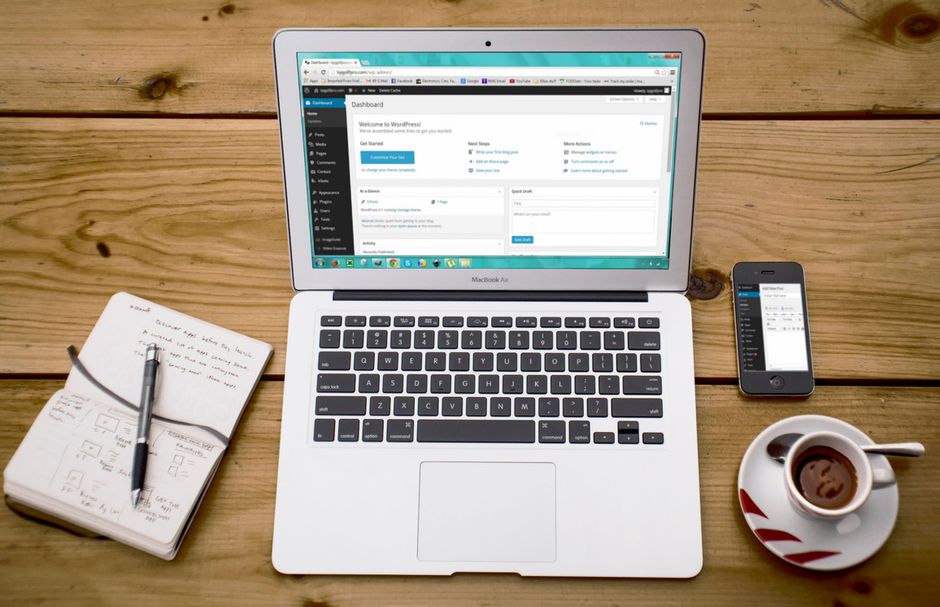
Платформа веб-сайта — это не просто решение, связанное с дизайном. Она влияет на то, насколько быстро ваша команда может публиковать контент, насколько легко ваш бизнес может добавлять новые функции, насколько безопасным остается сайт и что происходит, когда рост требует большего, чем первоначальный объем запуска. В выборе между WordPress и Webflow правильный ответ зависит меньше от тенденций и больше от ваших оперативных требований.
Для маркетинговой посадочной страницы с высоким контролем визуального направления одна платформа может быть более подходящей. Для корпоративного веб-сайта, который требует многоязычного контента, интеграции с лидами, продвинутой видимости в поиске, персонализированных порталов или многолетнего расширения, приоритеты меняются. Лидеры бизнеса должны оценивать платформу как часть их более широкой цифровой инфраструктуры, а не как изолированный творческий инструмент.
WordPress против Webflow: краткий обзор
WordPress — это система управления контентом с открытым исходным кодом с обширной глобальной экосистемой. Она может поддерживать простой корпоративный веб-сайт, но также может быть разработана в сложную платформу с персонализированной функциональностью, интеграциями, ролями пользователей, электронной коммерцией, порталами и персонализированными рабочими процессами. Ее гибкость — это определяющее преимущество.
Webflow — это хостинговая платформа визуального развития. Она предоставляет дизайнерам и командам контента существенный контроль над макетами, анимациями и адаптивной презентацией без необходимости традиционного фронтенд-кодинга для каждого изменения. Она особенно привлекательна, когда первоочередными целями являются визуальное качество, контролируемые структуры контента и быстрая реализация от дизайна до запуска.
| Бизнес-аспект | WordPress | Webflow | | --- | --- | --- | | Гибкость дизайна | Неограниченная с персонализированным развитием | Отличный визуальный контроль в рамках платформы | | Управление контентом | Сильное для крупных, развивающихся операций с контентом | Чистые и способные для структурированного маркетингового контента | | Персонализированная функциональность | Высокая расширяемость через персонализированный код и интеграции | Лучшая для определенных требований с интеграциями, совместимыми с платформой | | Контроль хостинга | Выбор провайдера хостинга и инфраструктуры | Хостинг управляется в рамках Webflow | | Постоянное обслуживание | Требует активных обновлений, мониторинга и поддержки | Более низкое обслуживание инфраструктуры, но зависит от платформы | | Масштабируемость | Сильная при надлежащей архитектуре и обслуживании | Подходит для многих маркетинговых сайтов, с границами для сложных потребностей |
Таблица является полезной отправной точкой, но ее не следует использовать вместо исследования. Платформа, которая кажется экономичной при запуске, может стать ограничительной или дорогостоящей, если она не может поддержать следующий этап вашего бизнеса.
Когда WordPress является стратегическим выбором
WordPress часто является более сильным вариантом для организаций, которые ожидают, что их веб-сайт станет ключевым бизнес-активом, а не цифровой брошурой. Его открытая архитектура дает опытной команде разработчиков пространство для создания того, что действительно нужно бизнесу, вместо корректировки бизнес-процессов под ограничение платформы.
Это важно для компаний, которые нуждаются в персонализированных потоках запросов, интеграциях с CRM, каталогах продуктов, защищенных клиентских областях, порталах вакансий, контенте, основанном на местоположении, арабских и английских опытах или маркетинговой автоматизации. WordPress может поддерживать эти требования с помощью тщательно отобранных инструментов и персонализированного развития. Ключевое слово — тщательно. Добавление плагинов без плана архитектуры не является цифровой стратегией.
Для организаций, ориентированных на SEO, WordPress также предлагает существенный контроль. Команды могут управлять структурами страниц, перенаправлениями, метаданными, схемой, шаблонами контента, улучшениями производительности и техническими требованиями поиска в деталях. Этот контроль ценен, когда веб-сайт должен конкурировать за высокочастотные коммерческие поисковые запросы в Кувейте, странах GCC или на международных рынках.
WordPress также дает бизнесу больше свободы в выборе хостинга. Профессиональная среда хостинга может быть выбрана на основе ожидаемого трафика, требований к безопасности, географических соображений, политики резервного копирования и целей производительности. Если у вашего бизнеса есть потребности в соблюдении требований или необходимость в тесном контроле над своей инфраструктурой, эта гибкость может быть решающей.
Однако WordPress не является бесплатным в обслуживании. Необходимо регулярно проводить обновления ядра, плагинов, резервные копии, мониторинг безопасности, проверки доступности и обзоры производительности. Заброшенный веб-сайт WordPress может стать медленным, уязвимым и трудным в управлении. С правильным партнером по обслуживанию эта ответственность становится управляемым оперативным процессом, а не внутренним бременем.
WordPress особенно подходит для ориентированных на рост веб-сайтов
Компания, планирующая долгосрочную цифровую экосистему, обычно получает выгоду от WordPress, когда ей нужна платформа, которая может развиваться. Первоначальный веб-сайт может начинаться с услуг, информации о компании и генерации лидов. Позже он может нуждаться в посадочных страницах кампаний, скачиваемых ресурсах, центре знаний, интеграциях с системами продаж или функциях самообслуживания клиентов.
Создание для этой возможности не означает чрезмерной инженерии первого выпуска. Это означает выбор основы, которая не заставит провести дорогостоящий перезапуск, когда бизнес преуспеет.
Когда Webflow лучше подходит для бизнеса
Webflow — это привлекательный выбор для брендов, которым нужен отполированный, современный маркетинговый веб-сайт с сильным визуальным точностью и относительно определенной функциональностью. Его визуальный интерфейс позволяет эффективно реализовывать сложные макеты, адаптивное поведение и тонкие взаимодействия, которые могут занять больше времени для производства через обычный рабочий процесс развития.
Для обновления бренда, нового корпоративного сайта, запуска продукта или веб-сайта, ориентированного на кампанию, Webflow может сократить расстояние между утвержденным дизайном и живым опытом. Команды контента также могут управлять структурированными страницами через его CMS, не входя в сложную административную среду.
Это может быть ценным для бизнеса с небольшой маркетинговой командой и сайтом, который не требует обширных персонализированных рабочих процессов. Если основная цель заключается в представлении премиального бренда, четком объяснении услуг, сборе квалифицированных лидов и поддержании актуальности контента кампании, Webflow может быть эффективной и эффективной платформой.
Модель управляемого хостинга Webflow является еще одним преимуществом для команд, которые предпочитают меньше решений по инфраструктуре. Хостинг, обновления платформы и базовые технические операции выполняются в среде Webflow. Это может упростить владение, особенно для организаций, которые не требуют глубокого контроля на уровне сервера.
Компромисс заключается в зависимости от платформы. Webflow предоставляет бизнесу хорошо продуманную среду, но также устанавливает границы вокруг того, как можно реализовать функциональность, структуры контента и интеграции. Персонализированный код может расширить некоторые области, но не превращает Webflow в неограниченную рамочную структуру приложений.
Webflow работает лучше, когда требования ясны
Webflow сильнее, когда у проекта есть четкий объем работ: определенный набор страниц, управляемая модель контента, стандартные требования по генерации лидов и сильный акцент на творческом исполнении. Он может стать менее привлекательным, когда сайт требует сложных разрешений, продвинутой логики электронной коммерции, высокоперсонализированных баз данных или обширной интеграции с третьими сторонами.
Это не делает Webflow менее подходящей платформой. Это делает ее целенаправленной платформой. Решение должно отражать бизнес-модель и будущую дорожную карту, а не предпочтение одного интерфейса над другим.
Обсуждение стоимости выходит за рамки начальной цены
Бизнес иногда сравнивает WordPress и Webflow только по первоначальной цене дизайна и разработки. Это сравнение упускает из виду реальную стоимость владения.
С WordPress расходы могут включать премиальные инструменты, управляемый хостинг, услуги безопасности, поддержку развития и постоянное обслуживание. Эти затраты оправданы, когда организация получает выгоду от контроля, персонализации и возможности расти без замены основы. Профессионально обслуживаемый веб-сайт WordPress должен рассматриваться как операционный актив, а не единовременная поставка.
С Webflow хостинг и функциональность платформы упаковываются более непосредственно, что может сделать ежемесячные затраты более предсказуемыми. Однако растущие требования могут привести к обходным решениям, услугам третьих сторон или будущей миграции, если платформа больше не соответствует потребностям организации.
Самый эффективный с точки зрения затрат выбор — это тот, который поддерживает ваши цели на следующие два-три года с наименьшим количеством компромиссов. Более низкая начальная цена не является экономией, если она создает второй проект до того, как первая платформа реализует свою ценность.
Безопасность, производительность и владение
Ни одна платформа не является автоматически безопасной или быстрой просто из-за своего названия. Безопасность и производительность являются результатом правильной реализации и дисциплинированного управления.
Webflow уменьшает некоторую оперативную уязвимость, потому что его хостинговая среда управляется. WordPress возлагает больше ответственности на владельца веб-сайта и технического партнера, но также позволяет иметь больший контроль над конфигурациями безопасности, архитектурой хостинга, кэшированием, мониторингом и качеством кода. Для организаций с конкретными техническими политиками этот контроль может быть преимуществом, а не бременем.
Производительность следует аналогичному паттерну. Хорошо построенный сайт Webflow может работать очень хорошо, особенно для маркетинговых страниц, ориентированных на контент. Хорошо разработанный сайт WordPress также может быть чрезвычайно быстрым, особенно при использовании персонализированного кода, оптимизированных медиа, качественного хостинга и тщательного кэширования. Плохие решения в области развития могут замедлить любую из платформ.
Внимание также заслуживает владение. WordPress обеспечивает переносимость, потому что бизнес может переместить свой сайт и среду хостинга. Webflow предлагает удобство через свою управляемую экосистему, но перемещение сложного живого веб-сайта из платформы может потребовать больше планирования. Решающие лица должны быть комфортны с этим компромиссом перед принятием обязательств.
Выбирайте платформу вокруг вашего бизнеса, а не наоборот
Выбирайте WordPress, когда вашему веб-сайту нужна персонализированная функциональность, широкий потенциал интеграции, детальный контроль SEO, гибкий хостинг или реалистичный путь к более крупной цифровой платформе. Это сильный долгосрочный выбор, когда его поддерживают опытные команды дизайна, развития и обслуживания.
Выбирайте Webflow, когда ваш приоритет — это визуально отшлифованный маркетинговый веб-сайт, ваши требования четко определены и ваша команда ценит управляемую среду с оптимизированным рабочим процессом контента. Он особенно эффективен, когда качество дизайна и скорость запуска важнее глубокой расширяемости платформы.
В DATA выбор платформы начинается с бизнес-случая: что веб-сайт должен достичь сейчас, с какими системами он должен быть связан и где организация ожидает быть следующей. Лучший веб-сайт — это не тот, который построен на самой модной платформе. Это тот, который дает вашему бизнесу надежную, высокопроизводительную основу для предстоящей работы.

